Posts

Showing posts with the label cryptopia

VANYWHERE — Turn Time and Skills to Cryptocurrencies That Pays Bills

Image
I hear some people saying they don’t have skills for any job so they tend to stick on what is there even if it is a low-paying job. Stuck on a job which they hate until they retire. I beg to disagree because even a housewife has a skill that she may offer or share with other housewives. Is it really their choice? Or is it only just because opportunity did not present itself to them? Now, what if your skills can earn you a crypto even during traffic hours, even when you are just staying at home, a PWD, or any status you have now, would you be joining a program, a project or a platform? (Remember that cryptocurrencies now are really popular and unlike FIAT or paper money that are affected by inflation, values may increase overtime.) With Vanywhere, time can turn into cryptocurrency. Real people, real skills, real time! Vanywhere is a skill-sharing platform that connects people who are seeking and offering skills via live video, voice & chat Well, ...
How to Transfer Electroneum to Cryptopia

Image
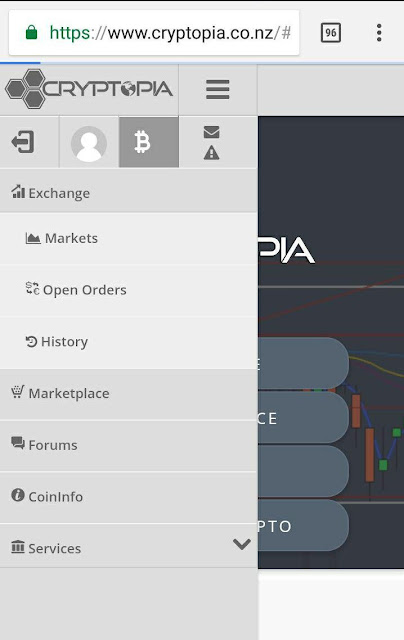
Electroneum wallet has finally gone live. And the problems of transferring to the only exchange, Cryptopia, cropped due. There are many ETN holders whose only experience in crypto trading is buying ETN. Before you can transfer your ETN to Cryptopia, you need to get the Cryptopia wallet address and Payment ID. Do not interchange the 2. Do not also forget the Payment ID 1. Open Cryptopia account and open B or Balances 2. Search ETN and click on the Green Arrow on the left of Electroneum for Deposit 3. Payment ID and Cryptopia ETN Address will appear. 4. After getting the Payment ID and Cryptopia ETN Address, open your Electroneum Wallet Manager 5. Click Send 6. Enter the Cryptopia ETN Address and click Next 7. Enter Payment ID from Cryptopia and click Next and Confirm Wait for your funds to appear on Cryptopia   Hopefully, this guide will help a lot of people.

Withrawal of Electroneum Funds from Cryptopia to ETN Wallet

Image
Electroneum is now LIVE, finally, after weeks of waiting. And I was able to trade already. Now, I am sure many will be depositing and withrawing their ETNS so I am posting here basic guide for withdrawal of electroneum funds from cryptopia to ETN wallet. Before you can withdraw, you MUST add first the wallet address to your cryptopia account. This is a MUST for every coin or token you will be withdrawing. 1) Open Cryptopia account and visit security page. 2) On the lower left side, Withdraw Address Book, click Add New 3) Select ETN from the combo list. You may add label 4) Enter your own ETN wallet address or the ETN wallet address where your withdrawal will go. 5) Click Add After adding your ETN wallet address, you are now ready to withdraw. 1. Click on B for Balances on top of your screen 2. Click on the red up arrow on the left of Electroneum for Withraw ETN 3. Select Wallet address 4. Input Amount to withdraw 5. Click Next and Confirm Expect som...

How to Fund Your Cryptopia Account with Coins.ph

Image
Cryptopia is one of the trading and exchange platform for cryptocurrencies. It also supports Philippine users and one of the trusted websites for cryptocurrency transactions. If you have not yet signed up for an account, you may sign up here  https://www.cryptopia.co.nz/Register?referrer=phexchanger After opening your Cryptopia account , you need to deposit cryptocurrency in order to do trading or exchange.  Click on the B from your dashboard and select Deposit   Choose what cryptocurrency to deposit. With coins.ph, you only have BTC so type BTC and select.     Scan the QR code or copy the wallet address below the QR code Open your coins.ph account by following the instructions of sending BTC from your coins.ph and paste the wallet address you copied from Crytopia to the BTC address in coins.ph and click Continue. Await confirmation of your deposit from Cryptopia and you are ready for trading or exchange.